Streamlining operations and boosting efficiency are constant challenges in any organization. When workflows are unclear, inconsistent, or undocumented, it leads to wasted time, frustrated employees, and missed opportunities. The key to untangling this complexity lies in a structured approach, and the foundation of that approach is a robust Business Process Modeling Template. This powerful tool provides a standardized framework for visualizing, analyzing, and optimizing how work gets done, transforming abstract ideas into a clear, actionable blueprint for success.
Business process modeling, at its core, is the practice of creating a visual representation of an organization's workflows. Think of it as creating a map for your business operations. Instead of roads and landmarks, this map shows tasks, decisions, roles, and the flow of information from start to finish. By documenting a process in this way, you create a single source of truth that everyone—from front-line staff to executive leadership—can understand and reference. This shared understanding is the first and most critical step toward meaningful improvement.

The benefits of adopting this practice are far-reaching. It moves teams away from tribal knowledge and anecdotal "how-to's" toward a disciplined, data-driven methodology. Clear process models help identify bottlenecks, eliminate redundant steps, and pinpoint opportunities for automation. This leads directly to reduced operational costs, improved quality and consistency, and faster delivery of products or services. Furthermore, well-defined processes are essential for onboarding new employees, ensuring regulatory compliance, and scaling the business effectively.

This guide will serve as your ultimate resource for understanding and implementing business process modeling. We will deconstruct the essential components of a comprehensive template, explore different types of models and their applications, and provide a step-by-step framework for putting it all into practice. By the end, you'll have the knowledge to select or create a template that empowers your organization to achieve operational excellence and a sustainable competitive advantage.
What is Business Process Modeling?
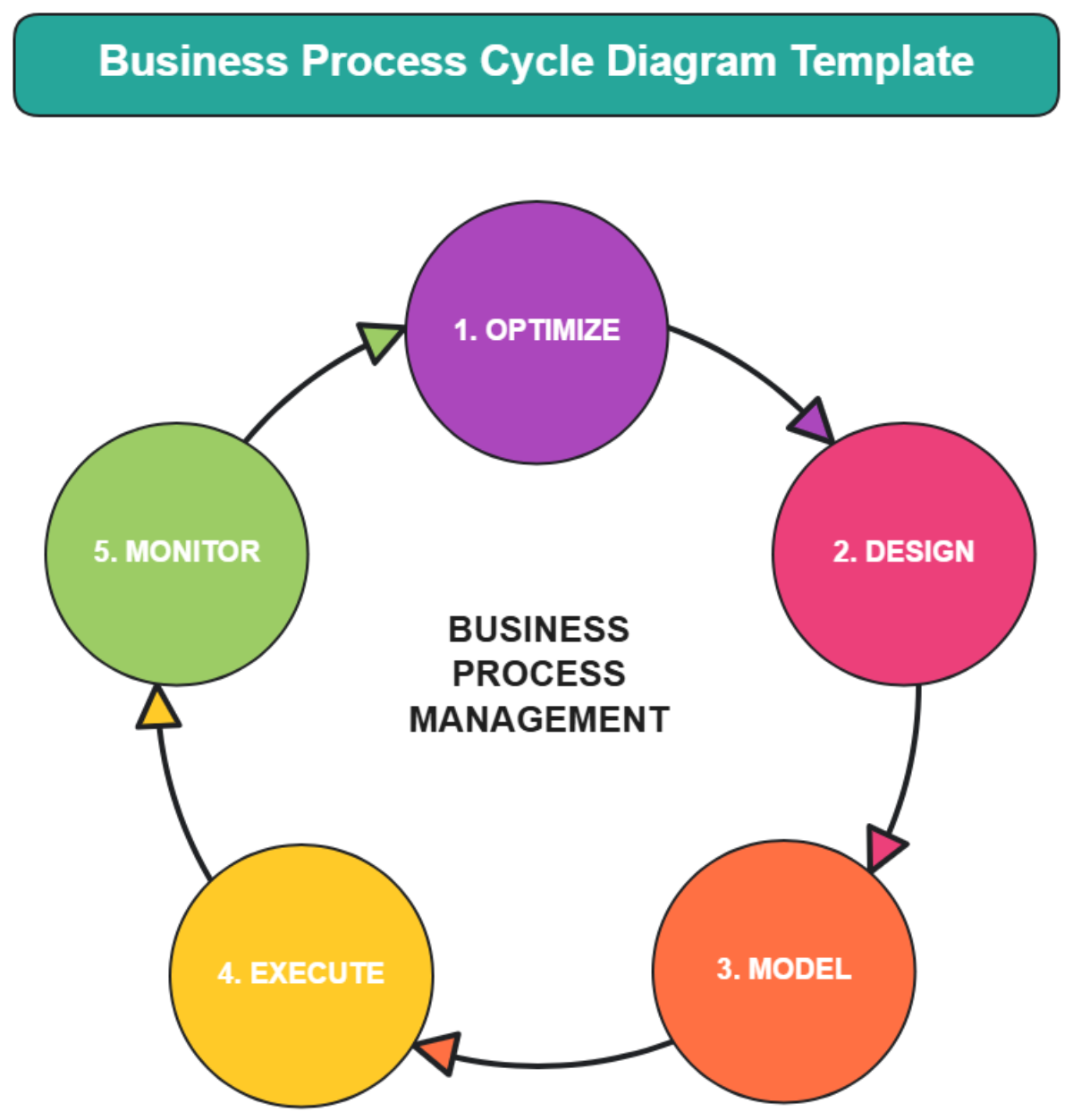
Before diving into the specifics of a template, it's crucial to grasp the discipline it supports. Business process modeling (BPM) is a systematic method used to represent an organization's processes. It goes far beyond simply drawing a flowchart; it's a comprehensive approach to capturing the reality of how work flows through a business, enabling deep analysis and strategic improvement.

Defining the Core Concept
At its heart, business process modeling is about communication and clarity. It uses a standardized set of symbols and notations to create a visual diagram that depicts a sequence of activities, the people or systems responsible for them, the decisions made along the way, and the inputs and outputs of the entire workflow. This visual language breaks down complex operations into easily digestible components, making them accessible to a wide range of stakeholders, including business analysts, IT professionals, department managers, and executive teams.
Key Goals of BPM
Organizations engage in business process modeling to achieve several critical objectives:
- Clarity and Understanding: The primary goal is to create a clear and unambiguous picture of a process. This ensures everyone involved has a shared understanding of their role and how their work impacts others.
- Analysis and Improvement: Once a process is mapped (the "As-Is" state), it can be analyzed to identify inefficiencies. This includes finding bottlenecks where work piles up, redundancies where the same task is done multiple times, and gaps where necessary steps are missing.
- Standardization: Modeling helps establish a single, approved way of performing a task. This consistency is vital for maintaining quality, meeting service-level agreements (SLAs), and ensuring regulatory compliance.
- Communication and Training: Process models are invaluable training tools for new employees. They also serve as a common reference point for discussions between different departments, particularly between business and IT teams when discussing software requirements.
The Role of a Template
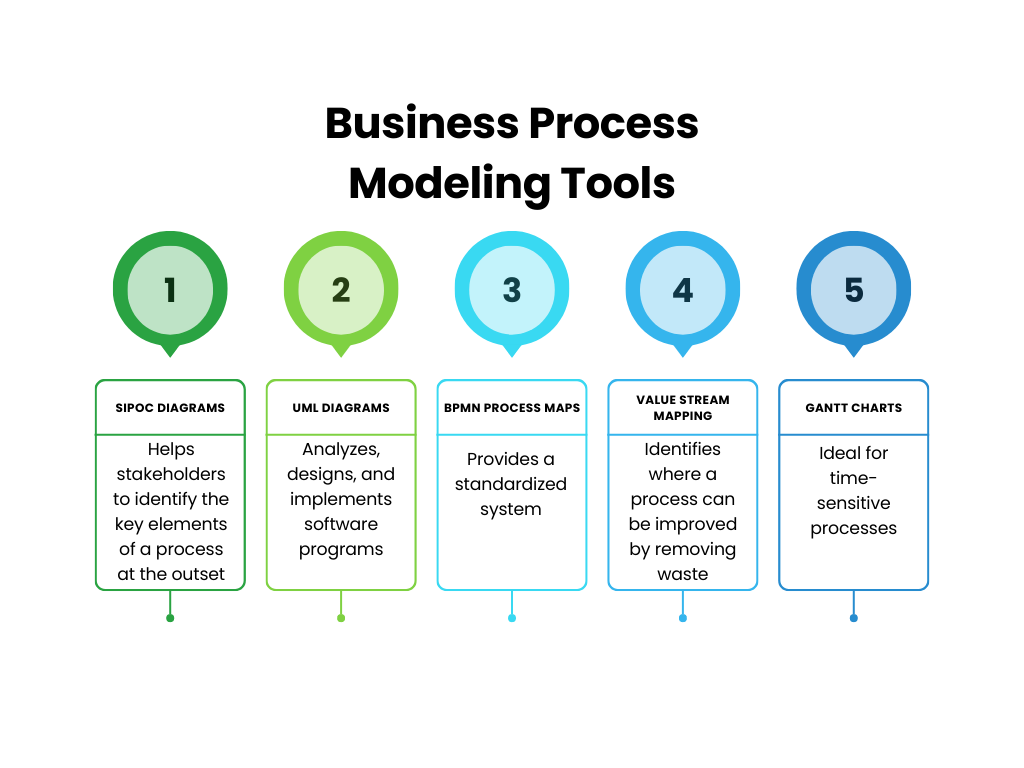
A Business Process Modeling Template acts as a structured starting point for this effort. Instead of starting with a blank canvas for every process, a template provides a pre-defined format that ensures all necessary information is captured consistently. It prompts you to define the scope, identify roles, list key performance indicators (KPIs), and use a standard notation. This not only saves a significant amount of time but also promotes uniformity across all process documentation within the organization, making it easier to compare, manage, and govern workflows at scale.
The Essential Components of a Business Process Modeling Template
A truly effective template is more than just a space to draw a diagram. It's a comprehensive document that provides full context for a process. A well-structured template ensures that no critical detail is overlooked, making the resulting model a valuable asset for analysis and decision-making.
Process Information and Metadata
This section acts as the cover sheet for your process, providing essential identifying information for governance and version control.

- Process Name: A clear, descriptive title (e.g., "New Employee Onboarding Process").
- Process ID: A unique identifier for easy tracking in a process repository.
- Version Number: To track revisions and changes over time (e.g., v1.0, v1.1, v2.0).
- Process Owner: The individual who is ultimately accountable for the performance and improvement of the process.
- Date of Last Review: The date the process was last validated or updated.
- Stakeholders: A list of key individuals or departments involved in or affected by the process.
Scope and Objectives
Here, you define the purpose and boundaries of the process. This is crucial for keeping the modeling effort focused.
- Process Description: A brief, high-level summary of what the process does.
- Objectives: What is this process trying to achieve? The goals should be specific and measurable (e.g., "To onboard a new employee within 5 business days with all necessary system access").
- Scope (Boundaries): Clearly state the start and end points. What event triggers the process, and what is the final outcome that concludes it? What is explicitly out of scope?
Roles and Responsibilities (RACI Matrix)
Clarity on who does what is paramount. A RACI matrix is a simple yet powerful tool to define this. For key activities, you list the roles involved and assign them one of the following designations:
- Responsible (R): The person(s) who does the work.
- Accountable (A): The one person ultimately answerable for the correct and thorough completion of the task. There should only be one "A" per activity.
- Consulted (C): People who provide input or expertise.
- Informed (I): People who are kept up-to-date on progress.
Process Flow Diagram (The Visual Core)
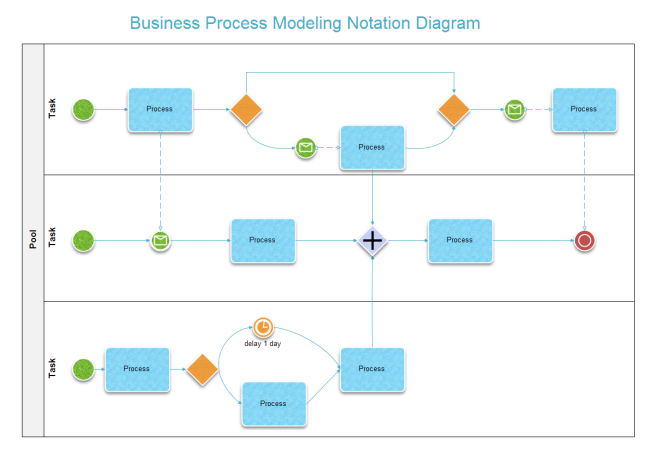
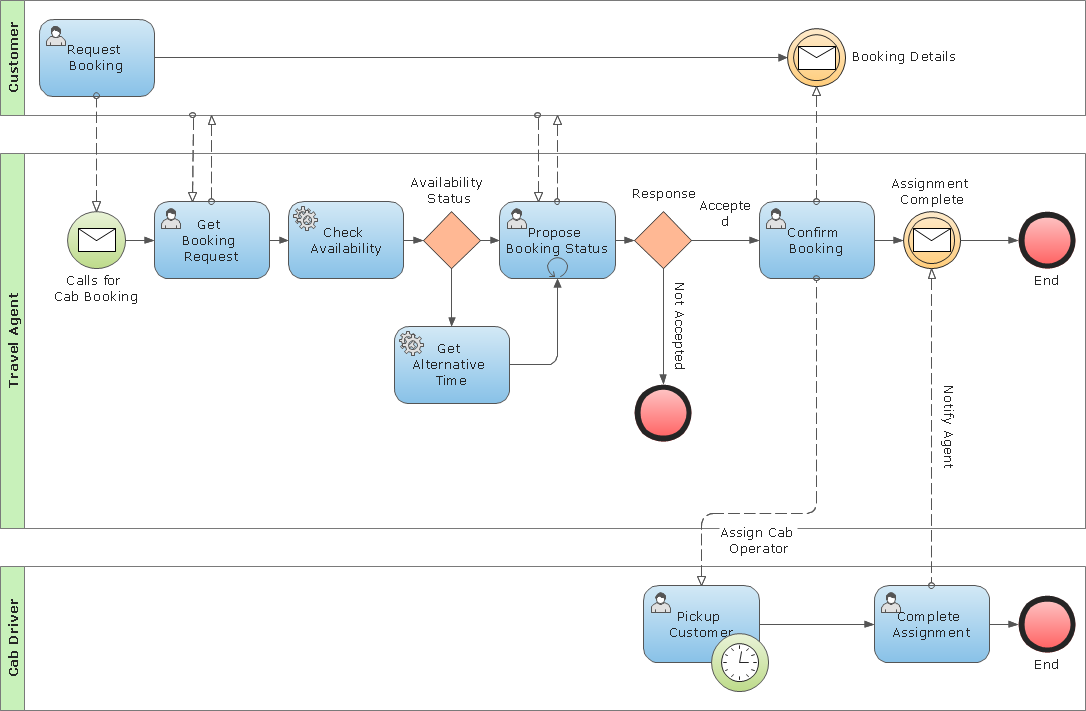
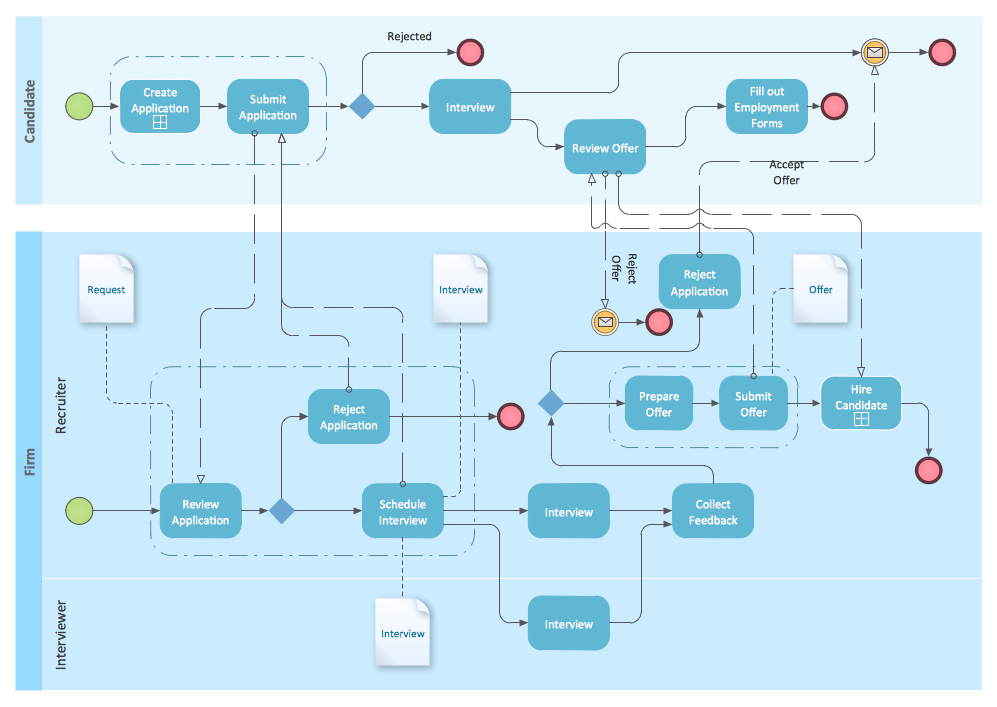
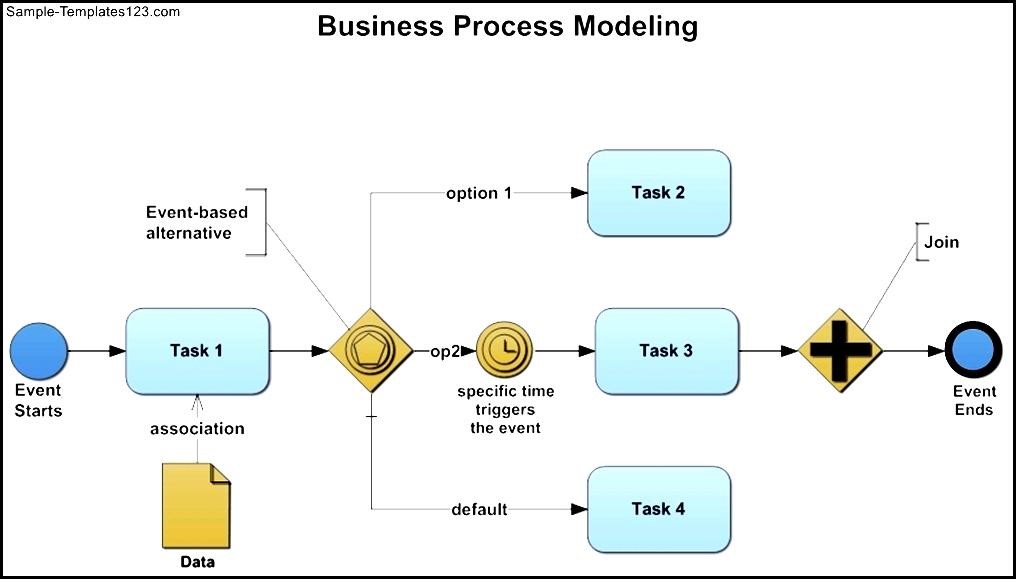
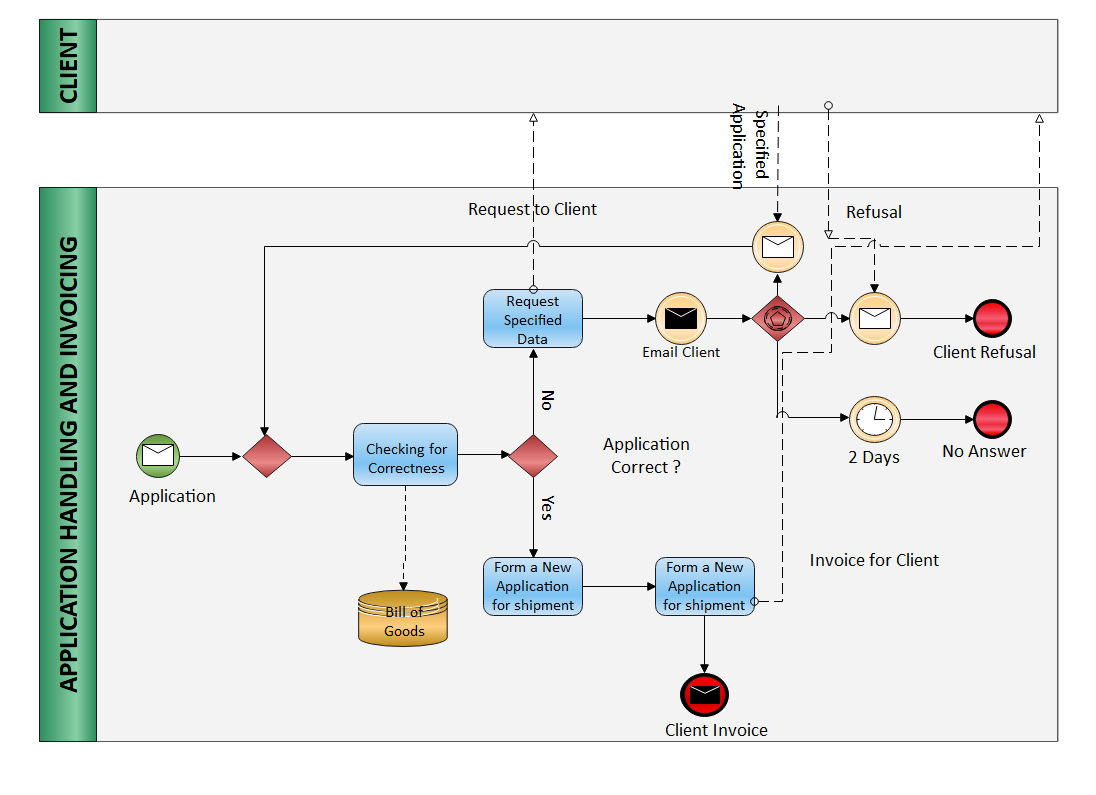
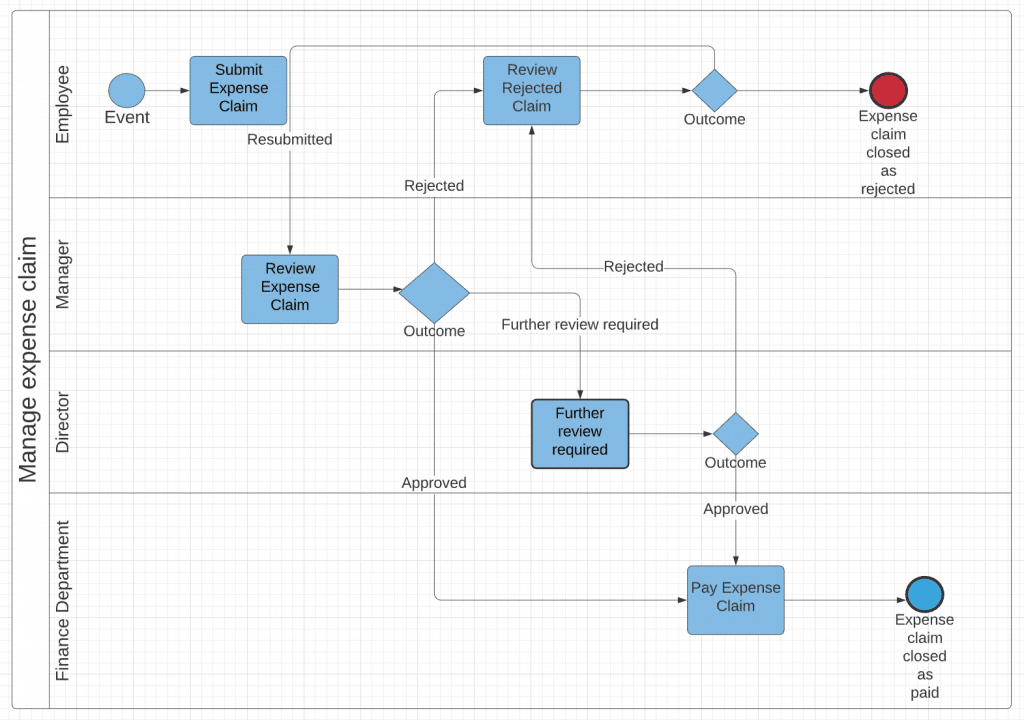
This is the visual heart of the template. While many diagramming styles exist, the industry standard is Business Process Model and Notation (BPMN 2.0). It provides a rich, standardized set of symbols that are understood globally. Key BPMN elements include:
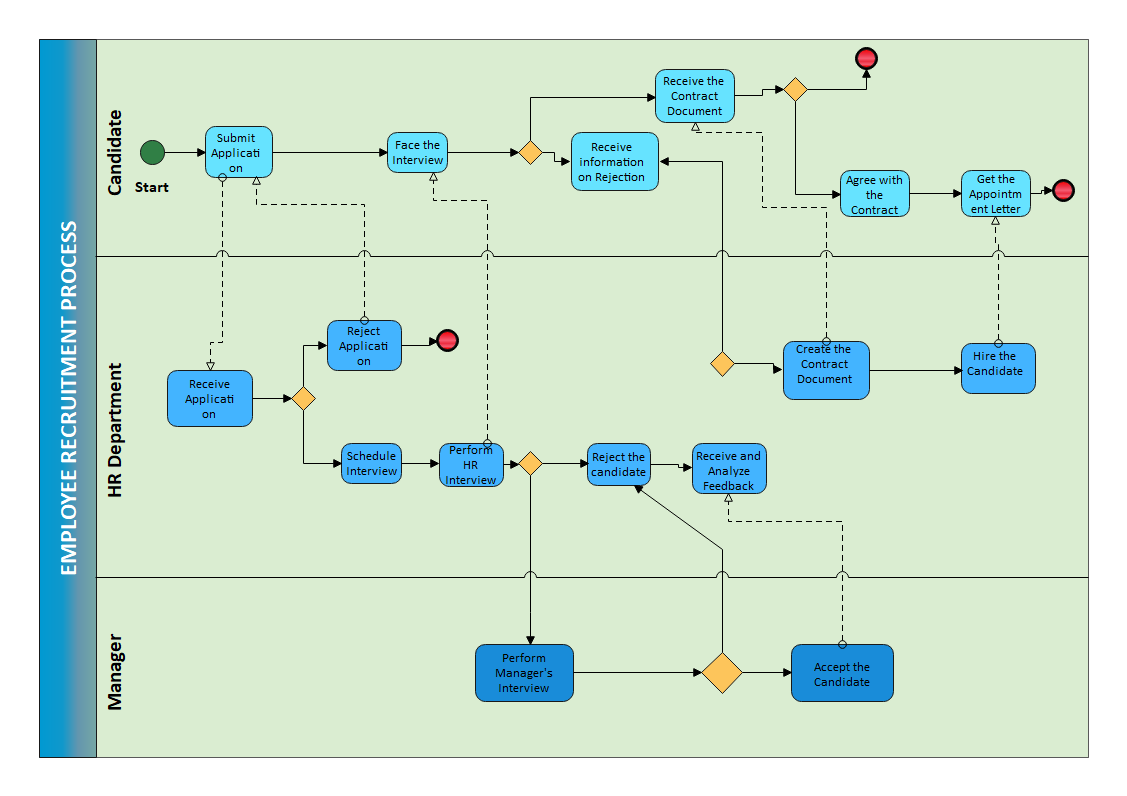
- Events: Circles that represent something that happens. They can be a Start Event (thin line), an Intermediate Event (double line), or an End Event (thick line).
- Activities: Rectangles with rounded corners that represent work being done. These can be a simple Task or a Sub-process that contains another level of detail.
- Gateways: Diamond shapes that control the divergence and convergence of the process flow. Common types include Exclusive Gateways (only one path can be taken) and Parallel Gateways (all paths are taken simultaneously).
- Sequence Flows: Solid-lined arrows that show the order in which activities are performed.
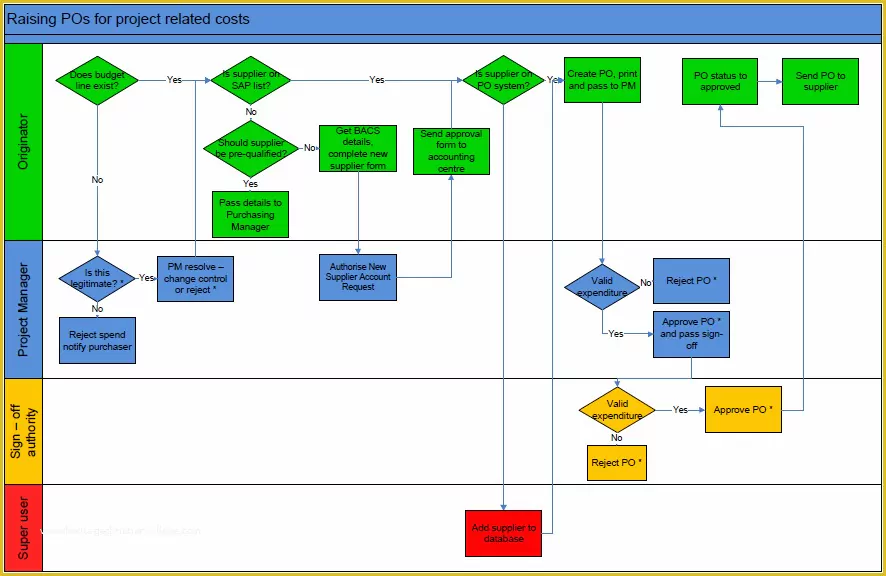
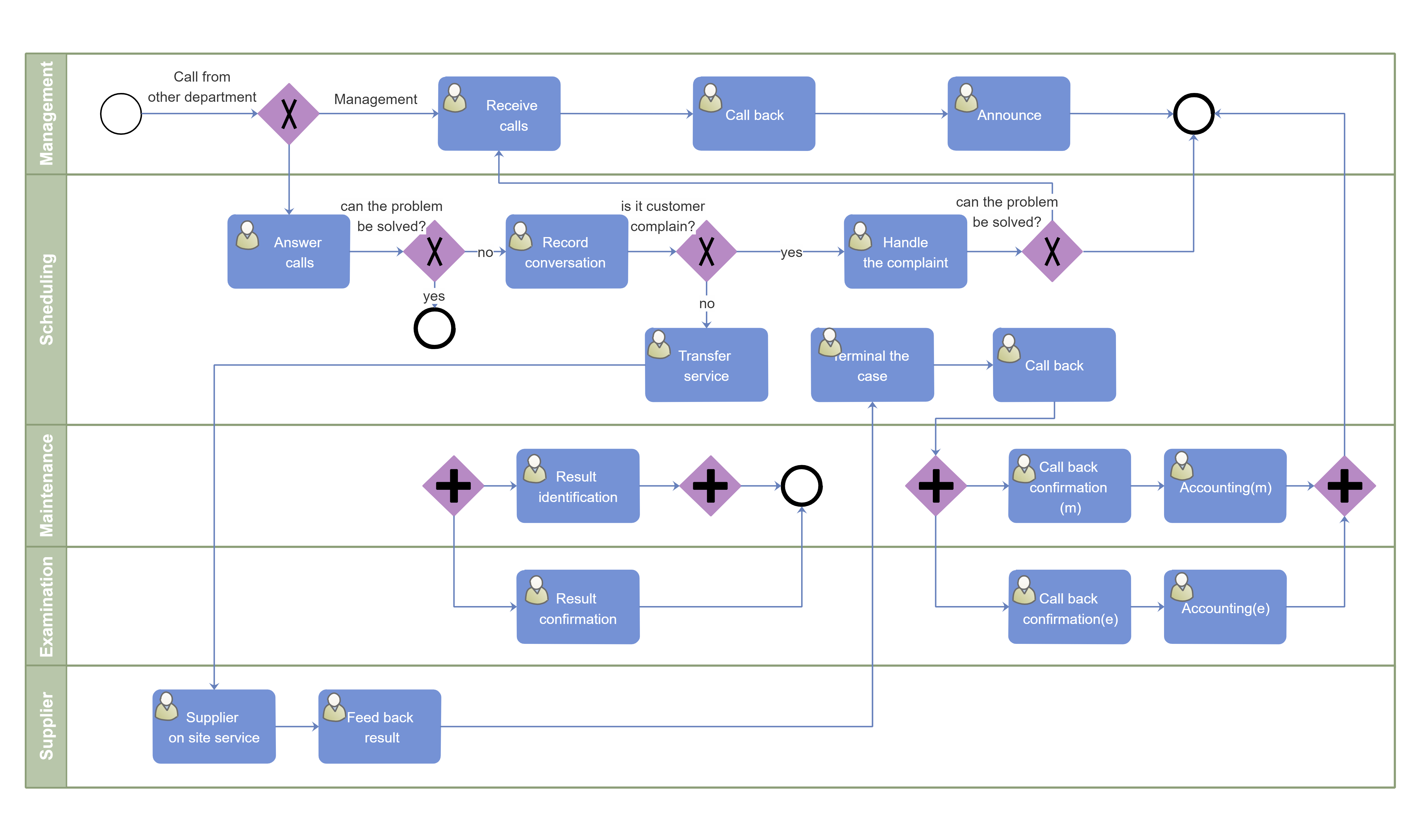
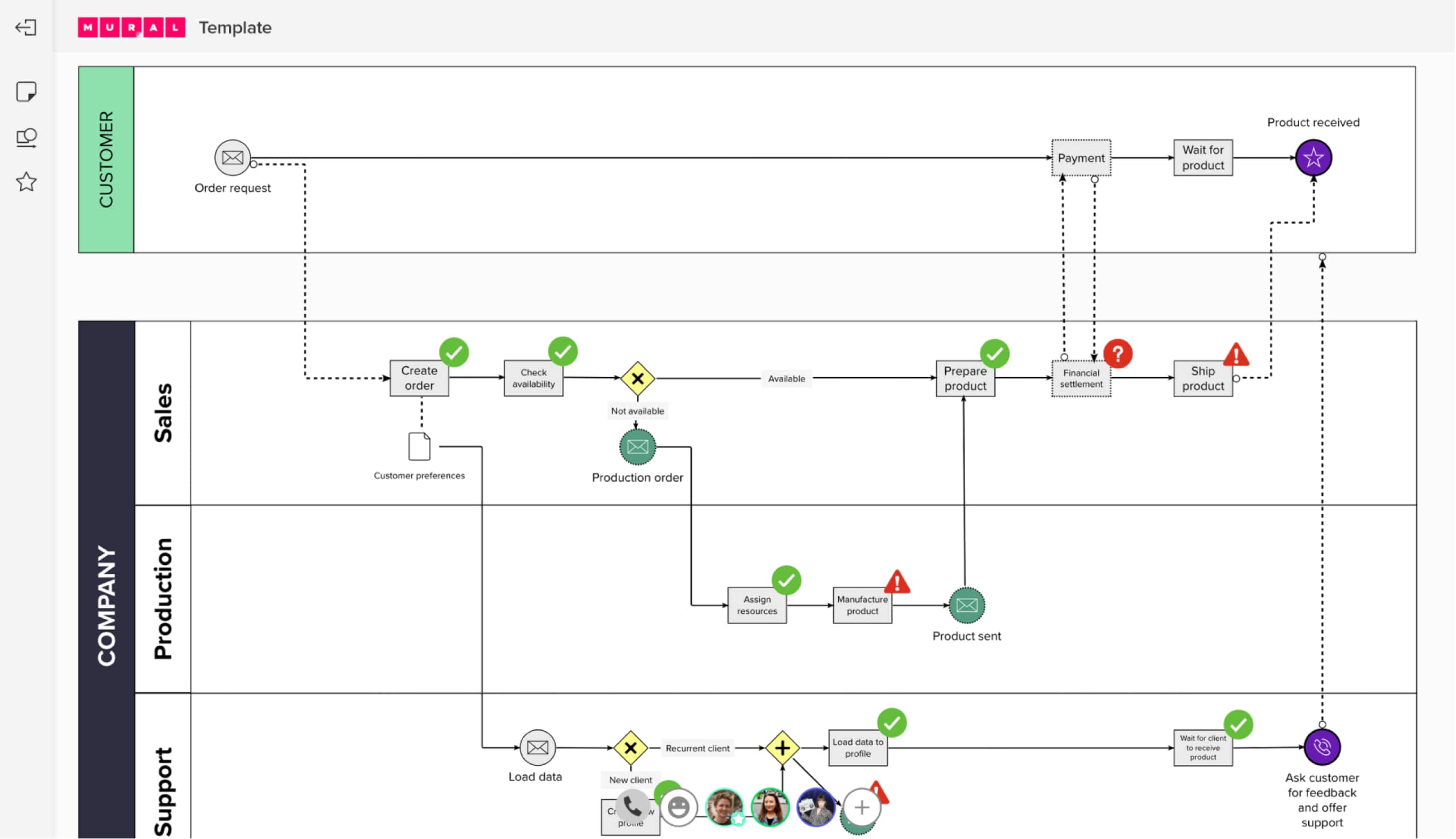
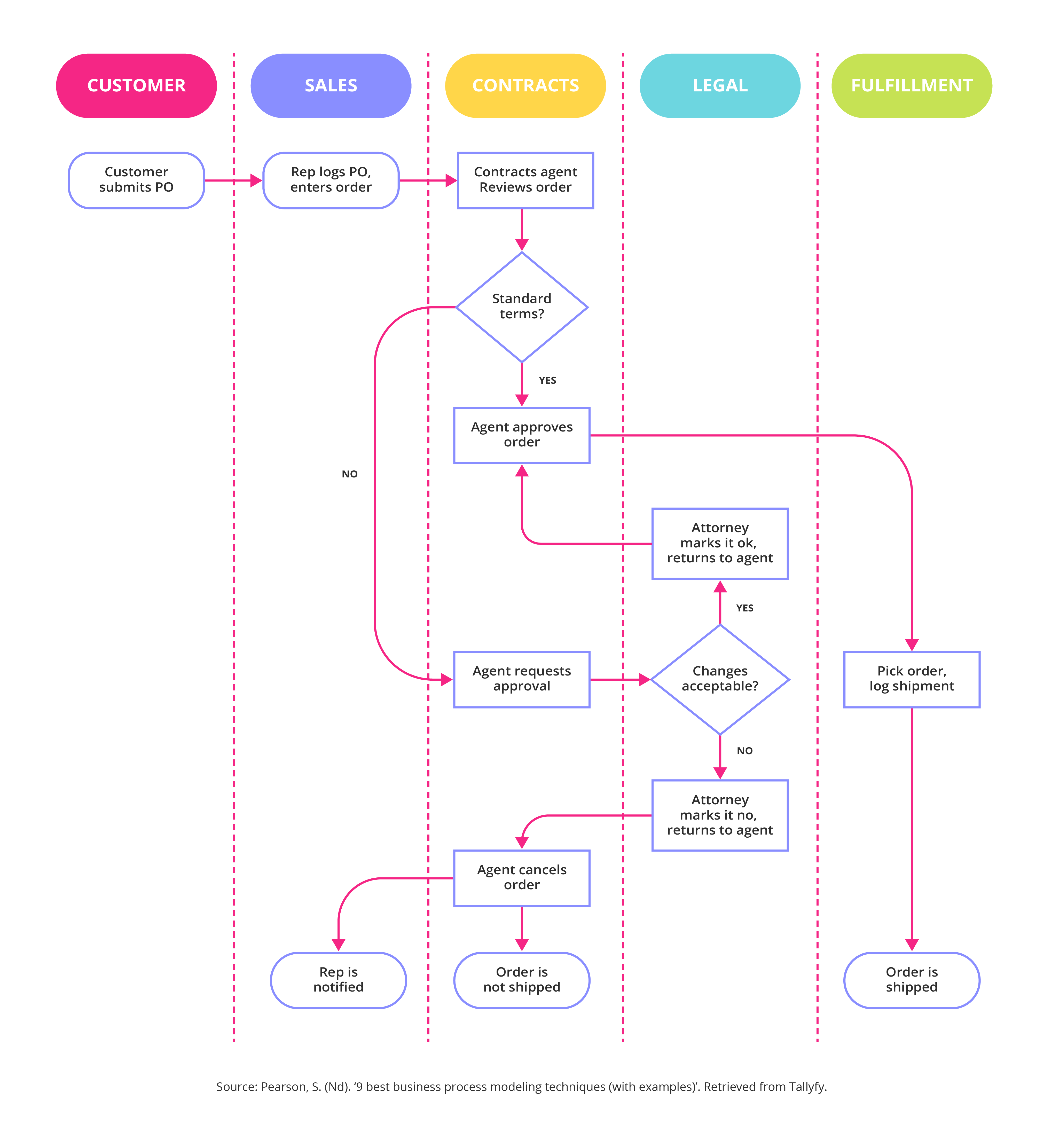
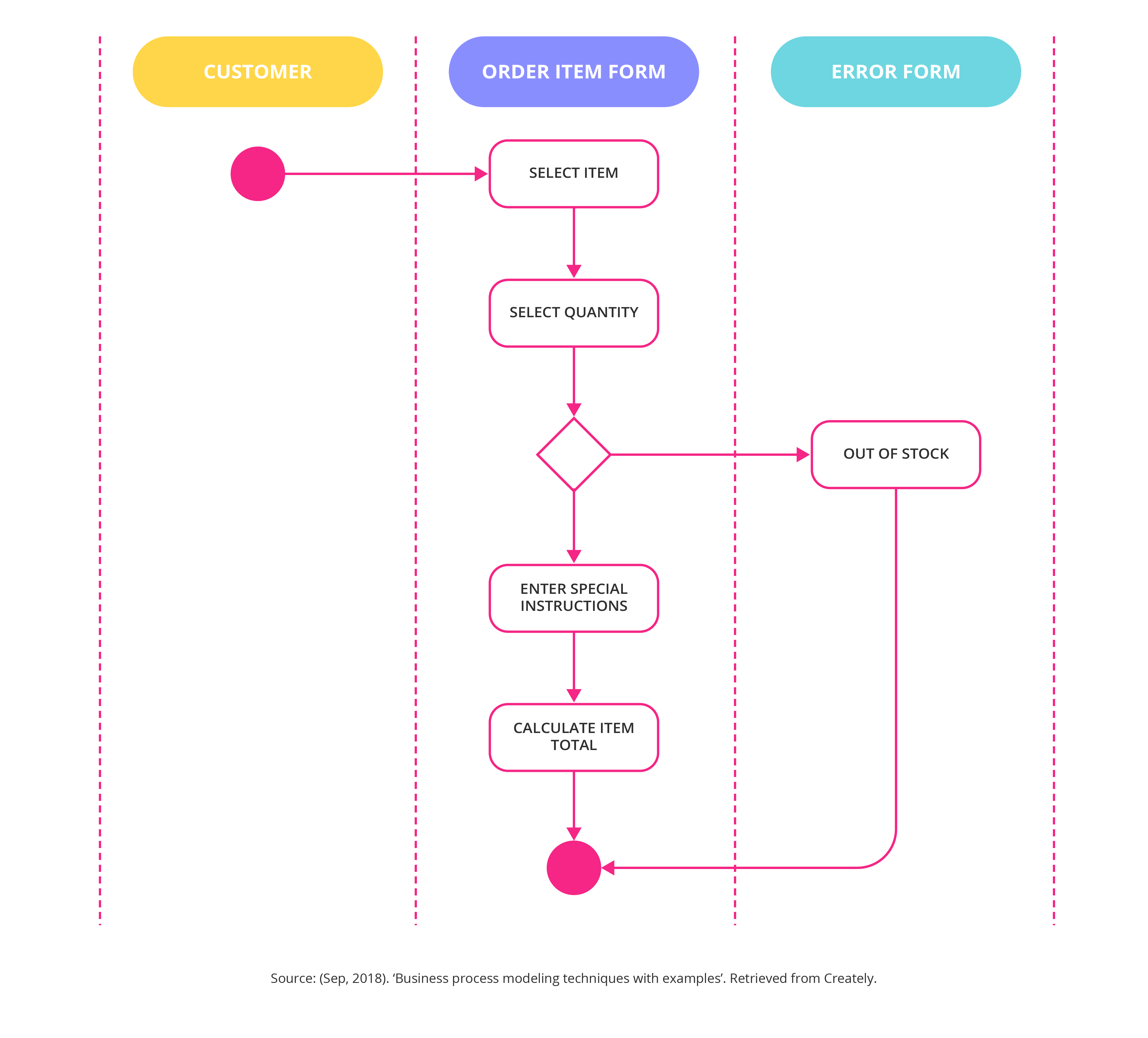
- Pools and Lanes: A Pool represents a major participant in the process (e.g., a company, a customer). Lanes are subdivisions within a pool that represent specific roles or departments (e.g., "HR Department," "IT Support"). Using pools and lanes is essential for visualizing cross-functional processes.
Inputs, Outputs, and Resources
Every process consumes resources and produces an outcome. This section documents them explicitly.
- Inputs: What is needed to begin the process or a specific task? (e.g., a signed offer letter, a customer support ticket).
- Outputs: What does the process or task produce? (e.g., a fully onboarded employee, a resolved support case).
- Resources: What systems, tools, or equipment are needed? (e.g., HR Information System, project management software, a specific machine).
KPIs and Metrics
You can't improve what you don't measure. This final component links the process to business performance.
- Key Performance Indicators (KPIs): The high-level metrics that define success (e.g., Employee Satisfaction Score, Customer Churn Rate).
- Process Metrics: More granular measurements of the process itself, such as Cycle Time (total time from start to end), Cost per Execution, or Error Rate.
Types of Business Process Models and When to Use Them
Not all process models serve the same purpose. The context and goal of your modeling initiative will determine the type of model you create. A good template should be flexible enough to accommodate these different perspectives.
As-Is vs. To-Be Models
This is the most common distinction in process improvement projects.

- As-Is Process Model: This model documents the current state of a process. The goal here is pure documentation and analysis. It's about capturing how things actually work today, including all the informal workarounds, inefficiencies, and bottlenecks. Creating an accurate "As-Is" model is the essential first step before any improvement can be made. It provides the baseline for measuring change.
- To-Be Process Model: This model illustrates the future, desired state of the process. After analyzing the "As-Is" model and identifying opportunities for improvement, you design the "To-Be" model. This is your blueprint for change, showing how the process should work after implementing optimizations, automation, or policy changes.
Descriptive vs. Executable Models
The level of detail in a model depends heavily on its intended audience and use case.
- Descriptive Models: These are the most common type of model and are designed for human understanding. They aim to facilitate communication and analysis among business stakeholders. They focus on clarity and often omit highly technical details that aren't relevant to a business discussion. Most standard templates are designed for creating descriptive models.
- Executable Models: These models contain a very high level of technical detail, enough to be directly imported and run by a Business Process Management System (BPMS) or workflow automation engine. They include specific data mappings, system integration calls, and exception-handling logic. Creating these models requires close collaboration between business analysts and IT developers.
Strategic, Operational, and Tactical Models
Process models can also be classified by their level of abstraction, which typically corresponds to the organizational level they are intended for.
- Strategic Models: These are very high-level models that show the core value chains of an organization. They are used by executive leadership to understand how the business creates value for its customers and to make strategic decisions.
- Operational Models: These are the detailed, end-to-end process models that describe the primary workflows of the business, such as "Order-to-Cash" or "Procure-to-Pay." These are the models most frequently created during process improvement projects.
- Tactical Models: These are detailed sub-processes or procedures that describe exactly how a specific task within an operational process is performed. They are often used for creating work instructions and training materials for front-line staff.
How to Effectively Use a Business Process Modeling Template
Having a great template is only half the battle. The real value comes from a disciplined process for using it to drive improvement. Following a structured approach ensures that your modeling efforts are efficient, collaborative, and lead to tangible results.
Step 1: Define the Process Scope and Goals
Before you begin mapping, get absolute clarity on what you are modeling and why. Assemble the key stakeholders and ask critical questions:
- Which process are we focusing on?
- What are its clear start and end points?
- What problems are we trying to solve (e.g., it's too slow, too expensive, has too many errors)?
- What does success look like? Define your target metrics upfront.
Fill out the "Process Information" and "Scope and Objectives" sections of your template during this phase.
Step 2: Gather Information
This is the investigation phase. You need to collect accurate data on how the process currently works. Don't rely on outdated documentation or a single person's memory. Use a combination of methods:
- Interviews: Talk to the people who actually perform the work every day.
- Workshops: Facilitate a group session with multiple stakeholders to map out the process collaboratively.
- Observation: Watch the process in action to see what really happens.
- Documentation Review: Analyze existing procedure manuals, forms, and system logs.
Step 3: Map the "As-Is" Process
With the information gathered, use your template and a chosen notation like BPMN 2.0 to create the "As-Is" model. The key at this stage is to be objective and descriptive. Document what currently happens, not what should happen. This is the time to uncover the "hidden factory"—the informal workarounds and shadow processes that people use to get their jobs done.
Step 4: Analyze and Identify Improvement Opportunities
Once the "As-Is" model is complete and validated by the stakeholders, the analysis begins. Scrutinize the map to find areas for improvement. Look for common process problems:
- Bottlenecks: Where does work consistently get stuck?
- Redundant Steps: Are approvals or tasks being duplicated unnecessarily?
- Manual Handoffs: Where does information get passed from one person to another manually, creating a risk of delay or error?
- Opportunities for Automation: Which repetitive, rule-based tasks could be handled by software?
Step 5: Design the "To-Be" Process
Now, it's time to be creative and prescriptive. Based on your analysis, design the improved "To-Be" process model. This new model should directly address the problems identified in the "As-Is" version. This might involve re-ordering steps, eliminating tasks, introducing automation, or clarifying roles. The "To-Be" model is your vision for a more efficient and effective future.
Step 6: Validate and Refine
Share the "To-Be" model with the same stakeholders who helped define the original process. Walk them through the proposed changes and gather feedback. Is the new process realistic? Does it solve the identified problems without creating new ones? Be prepared to iterate on the design based on their expert input. Once the "To-Be" model is approved, it becomes the blueprint for implementation.
Choosing the Right Tools for Your Template
Your Business Process Modeling Template provides the structure, but you need a tool to bring it to life. The right tool depends on your team's needs, technical expertise, and the complexity of your processes.
Simple Diagramming Tools
For many organizations, especially those just starting with BPM, standard diagramming software is a perfect choice.
- Examples: Microsoft Visio, Lucidchart, Diagrams.net (formerly draw.io).
- Pros: They are generally inexpensive, easy to learn, and highly flexible. They are excellent for creating clear, descriptive models for communication and documentation. Most support BPMN 2.0 symbol sets.
- Cons: They lack advanced features like process simulation, automated analysis, or version control.
Dedicated BPM Software
For more mature process improvement initiatives, dedicated Business Process Management (BPM) suites offer a powerful, integrated environment.
- Examples: Bizagi Modeler, Camunda, Signavio, Appian.
- Pros: These tools are built specifically for BPM. They offer features like a central process repository, collaboration tools, version control, process simulation (to test changes before implementation), and the ability to create executable models for automation.
- Cons: They have a steeper learning curve and can be significantly more expensive than simple diagramming tools.
Collaborative Whiteboards
In today's hybrid work environment, digital whiteboards have become invaluable for the initial stages of process mapping.
- Examples: Miro, Mural.
- Pros: They excel at real-time, collaborative brainstorming. They are perfect for facilitating remote workshops where multiple team members can contribute to the "As-Is" map simultaneously. Their informal nature encourages participation.
- Cons: They are not ideal for creating formal, standardized BPMN diagrams. The best practice is often to use a whiteboard for the initial discovery and then transfer the final model to a more structured BPM tool.
Conclusion
A Business Process Modeling Template is far more than a bureaucratic document; it is a strategic asset for achieving operational clarity, efficiency, and continuous improvement. By providing a standardized structure, it transforms the complex, often chaotic nature of business workflows into a clear, manageable, and optimizable format. It establishes a common language that bridges the gap between departments, aligning business goals with operational reality.
Throughout this guide, we've seen that an effective template captures not just the visual flow but also the critical context—the scope, objectives, roles, metrics, and resources that define a process's success. By consistently applying this template to map "As-Is" states and design streamlined "To-Be" futures, organizations can systematically eliminate waste, reduce costs, and improve service quality.
Whether you use a simple diagramming tool or a sophisticated BPM suite, the principles remain the same. Start with a solid template, engage the right stakeholders, and follow a disciplined methodology of mapping, analyzing, and improving. By embracing business process modeling, you empower your organization to move from reactive problem-solving to proactive process excellence, building a resilient and scalable foundation for future growth.
0 Response to "The Ultimate Business Process Modeling Template"
Posting Komentar