
Managing the finances of a growing company can feel like a monumental task, especially when resources are tight. Many entrepreneurs find themselves overwhelmed by the prospect of expensive accounting software or hiring a full-time bookkeeper. Fortunately, a powerful and accessible solution is already at your fingertips. By leveraging Excel accounting templates for small businesses, you can establish a solid financial foundation, track your performance, and make informed decisions without a significant upfront investment. This approach puts you in direct control of your financial data, offering a clear and customizable view of your company's health.
The enduring popularity of Microsoft Excel in the business world is no accident. Its grid-based interface is intuitive for anyone familiar with spreadsheets, and its powerful functions can handle a surprising amount of financial complexity. For a startup, sole proprietorship, or small business, Excel provides a low-barrier entry into the world of bookkeeping. It eliminates the need to learn a new, proprietary software system, allowing you to focus on what matters most: running your business. The ability to tailor templates to your specific industry and operational needs is a key advantage that one-size-fits-all software often lacks.
While dedicated accounting platforms like QuickBooks or Xero offer more automation and integration, they also come with monthly subscription fees and a steeper learning curve. Excel serves as the perfect stepping stone. It teaches you the fundamentals of financial tracking—from logging expenses to generating profit and loss statements—in a hands-on manner. As your business grows and its transactions become more numerous and complex, you will be better equipped to choose and transition to a more advanced system, already understanding the core principles of what your business needs from its accounting tools.
This comprehensive guide will walk you through everything you need to know about using Excel for your small business accounting. We will explore the essential components of a robust accounting spreadsheet, highlight the key templates you should have in your toolkit, and provide actionable advice on how to choose and customize them. We'll also address the common pitfalls and limitations to be aware of, ensuring you can maximize the benefits while minimizing the risks. By the end, you'll have the confidence to build or select an Excel-based accounting system that brings clarity and control to your business finances.
Why Use Excel for Small Business Accounting?
Before diving into specific templates, it's important to understand why Microsoft Excel remains a viable and often preferred choice for so many small businesses. While it may not have the flashy features of dedicated accounting software, its fundamental strengths offer compelling advantages for entrepreneurs and startups.
Cost-Effectiveness
For a business watching every penny, cost is a major factor. Most entrepreneurs already have access to Microsoft Office, meaning there is no additional software cost to get started. Compared to the recurring monthly or annual subscription fees of dedicated accounting software, using Excel is essentially free. This allows you to allocate precious capital to other critical areas of your business, such as marketing, product development, or inventory.

Accessibility and Familiarity
Millions of people use Excel every day. This widespread familiarity dramatically reduces the learning curve associated with financial management. You don't need to spend hours watching tutorials to understand a new interface. The core functions—entering data, writing simple formulas, and formatting cells—are skills many business owners already possess. This accessibility empowers you to take direct control of your bookkeeping from day one.
Customization and Flexibility
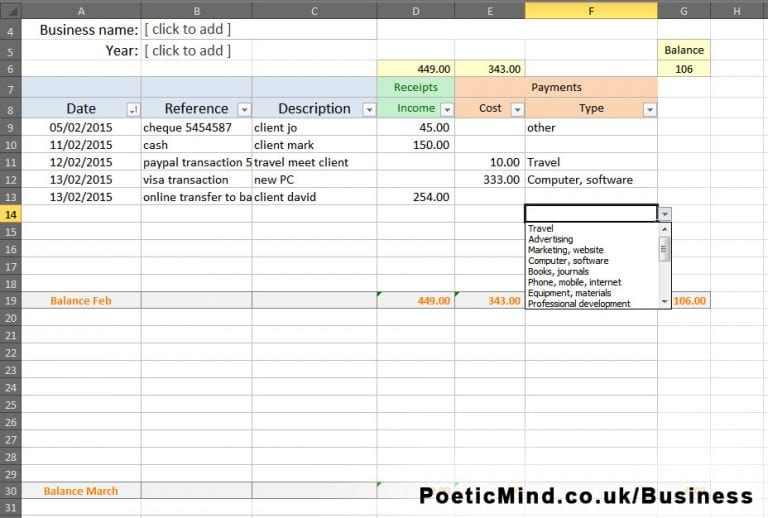
One of Excel's greatest strengths is its unparalleled flexibility. Unlike rigid software that forces you into a specific workflow, an Excel template can be modified to perfectly suit your business model. You can add or remove columns, create custom reports, track industry-specific metrics, and design dashboards that highlight the key performance indicators (KPIs) that matter most to you. Whether you're a freelance consultant, a retail shop, or a small manufacturing firm, you can build a system that mirrors your unique operations.
Offline Access
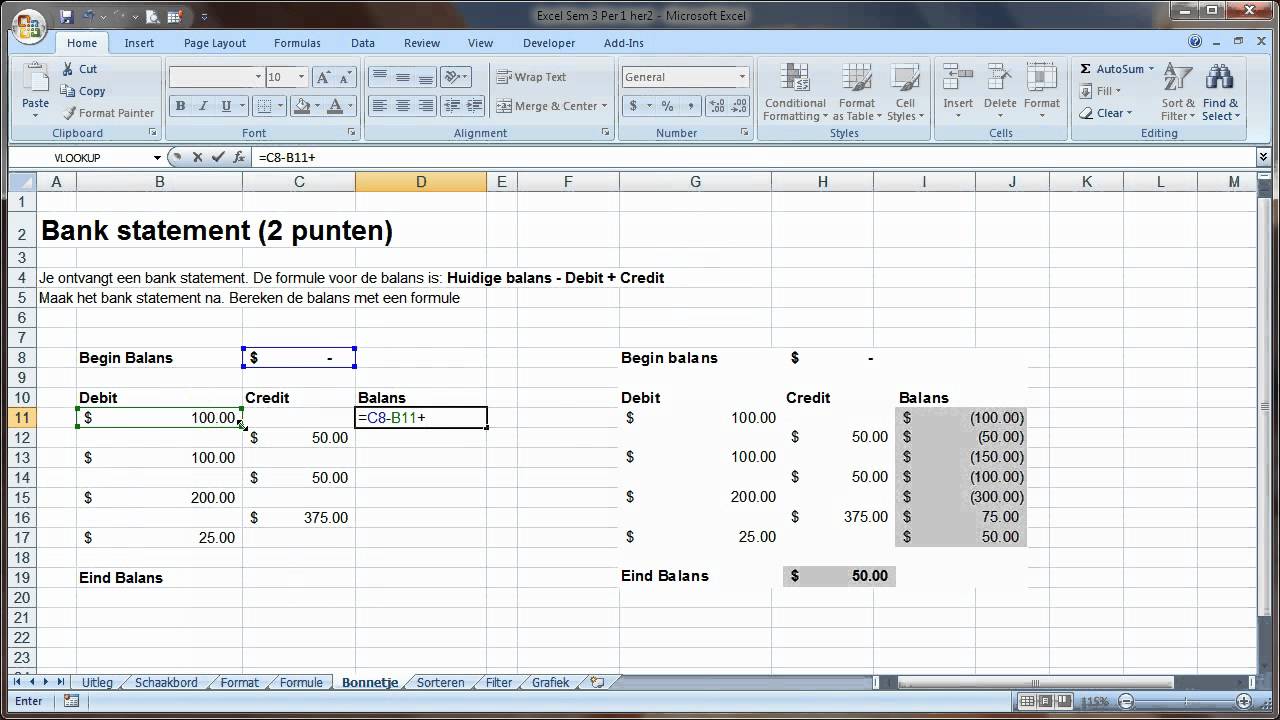
In a world dominated by cloud-based services, the ability to work offline is often overlooked. With Excel, your financial data is stored locally on your computer. This means you can update your books, create invoices, or review reports from anywhere, even without an internet connection. This is particularly useful for business owners who travel frequently or work in areas with unreliable connectivity.

The Core Components of an Excel Accounting System
A truly effective Excel accounting system is more than just a single spreadsheet; it's an interconnected workbook with several key components. A well-designed template will include separate tabs or sheets for each of these elements, creating a comprehensive and organized financial picture.
General Ledger
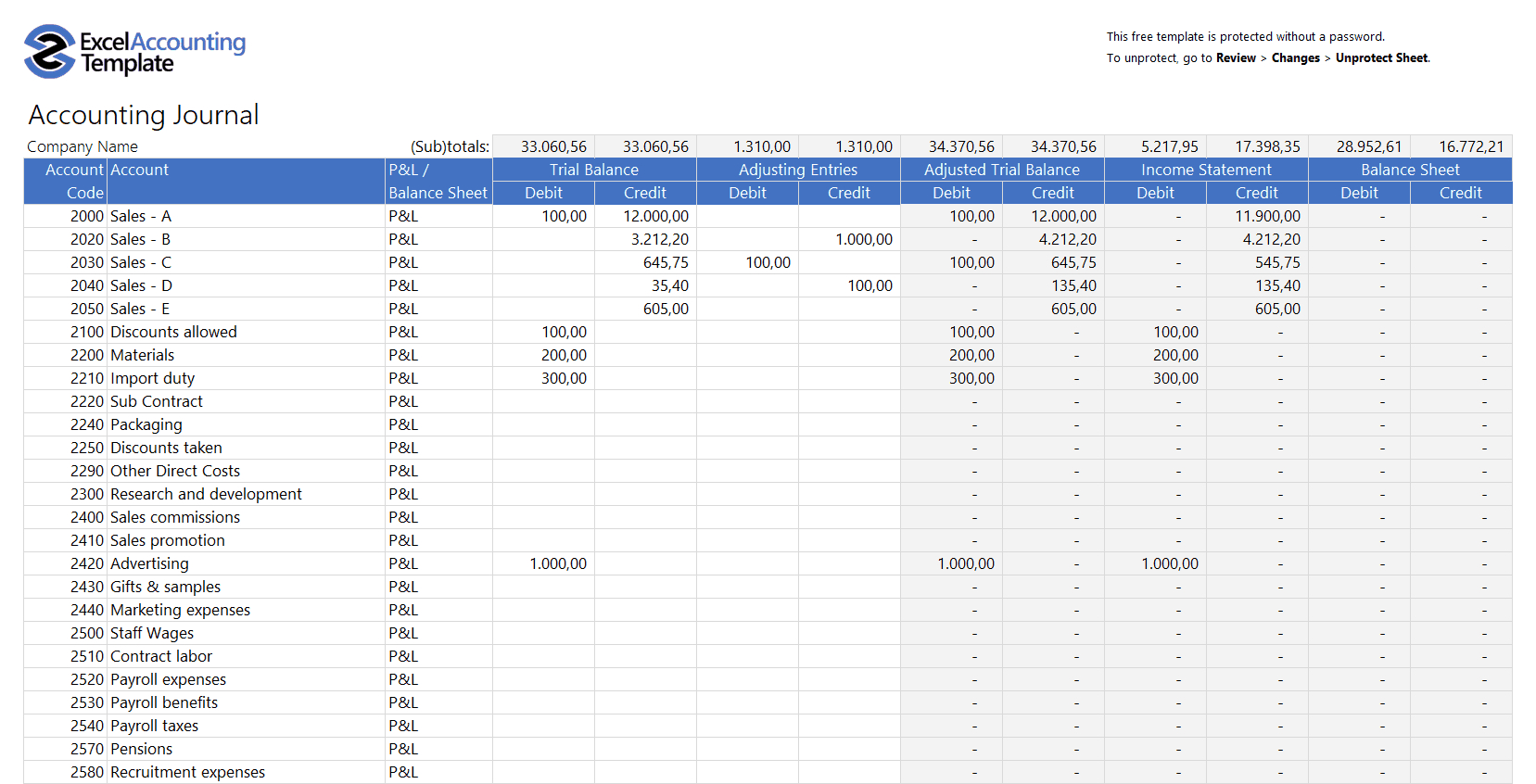
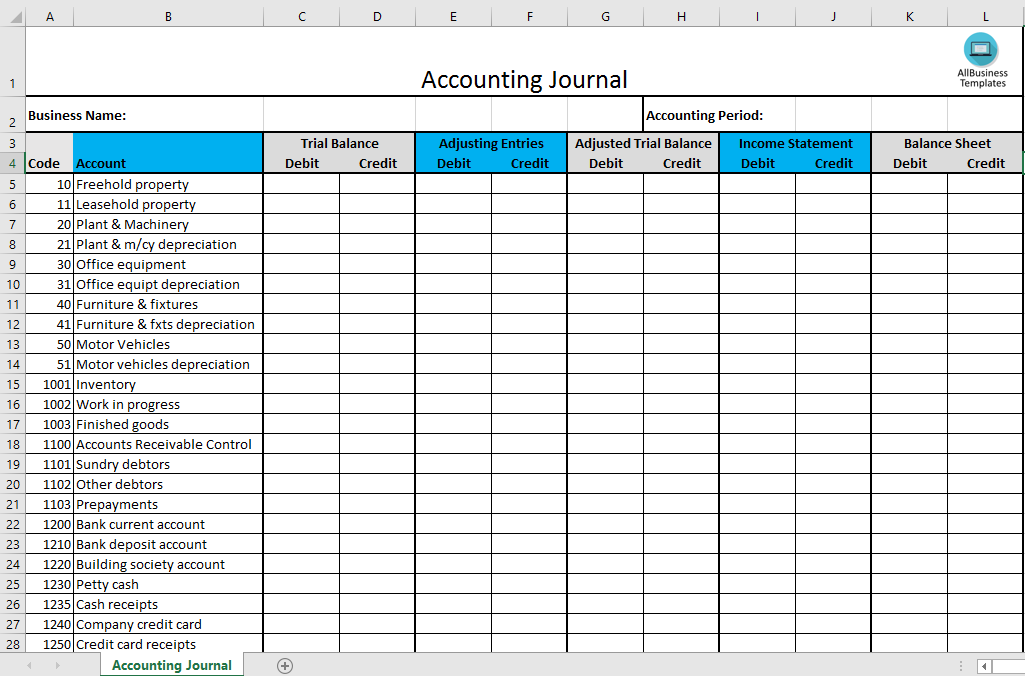
The general ledger is the heart of your accounting system. It is a complete record of every financial transaction your business has made over its lifetime. Each entry is typically categorized using your Chart of Accounts and includes the date, a description, and the amounts debited and credited (for a double-entry system). This detailed log is the primary source of data for all your other financial reports.
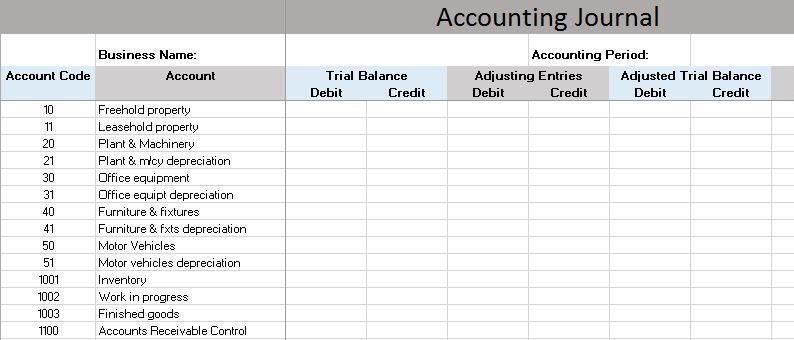
Chart of Accounts
The Chart of Accounts (COA) is a list of all the financial accounts in your general ledger. It acts as an organizational framework, breaking down all your transactions into meaningful categories. A typical COA includes accounts for assets (cash, accounts receivable), liabilities (loans, accounts payable), equity (owner's investment), revenue (sales, service income), and expenses (rent, marketing, supplies). A well-structured COA is crucial for accurate financial reporting.

Income Statement (Profit & Loss)
Also known as the Profit and Loss (P&L) statement, the income statement summarizes your revenues and expenses over a specific period (e.g., a month, a quarter, or a year). It shows you whether your business made a profit or a loss during that time. An Excel template should automatically pull data from your general ledger to generate this report, giving you a clear view of your operational performance.

Balance Sheet
The balance sheet provides a snapshot of your company's financial health at a single point in time. It follows the fundamental accounting equation: Assets = Liabilities + Equity. This report shows what your company owns (assets), what it owes (liabilities), and the owner's stake (equity). It's a critical statement for understanding your company's solvency and financial position.

Cash Flow Statement
While the P&L shows profitability, the cash flow statement tracks the actual movement of cash in and out of your business. It is broken down into three activities: operating, investing, and financing. This report is vital for managing liquidity and ensuring you have enough cash on hand to pay your bills, employees, and suppliers. A business can be profitable on paper but fail due to poor cash flow.

Accounts Receivable and Payable
These are often managed in separate logs that feed into the general ledger. The Accounts Receivable (AR) ledger tracks money owed to your business by customers. The Accounts Payable (AP) ledger tracks money your business owes to suppliers and vendors. Managing these effectively is key to maintaining healthy cash flow.

Essential Excel Accounting Templates For Small Businesses
Now that you understand the core components, let's explore the specific templates that form a complete accounting toolkit. You can often find these as individual files or combined into a single, comprehensive workbook.
Bookkeeping & General Ledger Template
This is the foundational template. A good bookkeeping template will include a transaction sheet (the general ledger) where you enter all your income and expenses. It should be linked to a Chart of Accounts and automatically populate your main financial statements—the Income Statement, Balance Sheet, and Cash Flow Statement. Look for one that uses double-entry bookkeeping principles for accuracy and financial integrity.
Invoice Template
A professional invoice is critical for getting paid on time. An Excel invoice template allows you to create and customize clean, professional-looking invoices. It should include fields for your company logo, business information, client details, a unique invoice number, a description of services or products, quantities, rates, and the total amount due. More advanced templates can even track payment status.
Expense Report Template
If you or your employees incur business-related expenses, an expense report template is essential for tracking and reimbursement. This template should allow for itemized entries, including date, vendor, category (e.g., travel, meals, supplies), and amount. A good template will automatically calculate totals and can be easily printed or saved as a PDF for record-keeping.
Budget vs. Actuals Template
Creating a budget is only half the battle; tracking your performance against it is where the real value lies. A Budget vs. Actuals template allows you to set financial goals for income and expenses and then compare your actual results side-by-side. This analysis helps you identify where you're overspending or underperforming, allowing you to make timely adjustments to your strategy.
Payroll Calculator Template
If you have employees, payroll can be complex. While dedicated payroll software is often recommended as you grow, a simple Excel payroll calculator can be a great starting point. It can help you calculate gross pay, deductions for taxes and other withholdings, and net pay for each employee. Ensure any template you use is up-to-date with current tax regulations in your jurisdiction.
Financial Dashboard Template
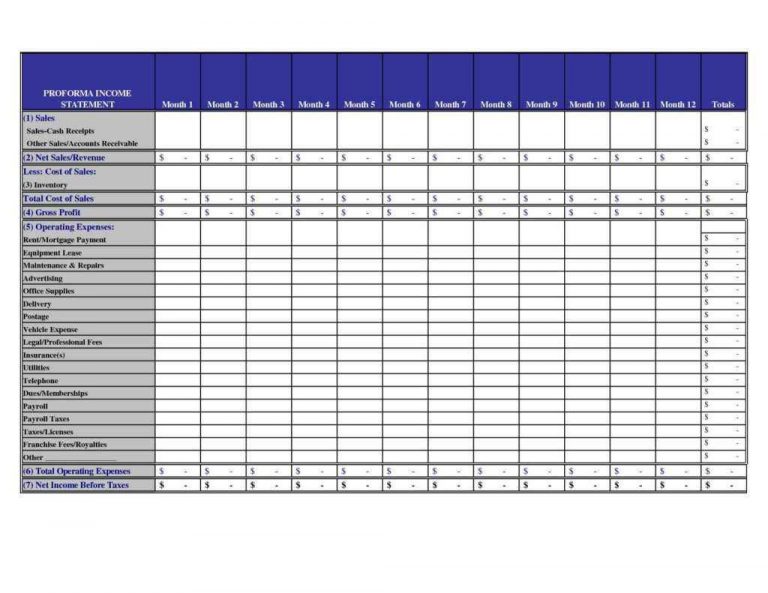
A financial dashboard provides a high-level, visual overview of your business's health using charts and graphs. It typically pulls data from your other sheets to display key metrics like revenue over time, top expense categories, profit margins, and cash balance. This visual representation makes it easy to spot trends and understand your financial position at a glance.
How to Choose the Right Template for Your Business
With thousands of free and paid templates available online, selecting the right one can be daunting. Focus on these key criteria to find a template that will serve you well.
Assess Your Business Needs
Start by considering your business type. A freelance writer has very different needs than a coffee shop. Do you manage inventory? Do you bill by the hour? Do you have employees? Make a list of your essential accounting tasks. Choose a template that is comprehensive enough to handle your current needs without being overly complex.
Look for Scalability
While you're a small business now, you plan to grow. The right template should have some room for that growth. Does it use dynamic tables that can easily expand as you add more transactions? Can you easily add new accounts to the Chart of Accounts? Avoid templates that are rigidly formatted and hard to modify, as you will quickly outgrow them.
Prioritize User-Friendliness
The whole point of using an Excel template is to simplify your accounting. Look for a template with a clean layout, clear instructions, and logical navigation. The best templates often include a dedicated "Instructions" tab and use color-coding to distinguish between cells for data entry and cells containing formulas.
Check for Built-in Formulas and Automation
A powerful template will use Excel's functions to automate calculations. Your P&L, Balance Sheet, and Dashboard should update automatically as you enter transactions in the general ledger. This saves you time and, more importantly, reduces the risk of manual calculation errors. Check for the use of functions like SUMIF, VLOOKUP, and Pivot Tables, which are hallmarks of a well-designed template.
Ensure It Includes Key Financial Reports
At a minimum, any bookkeeping template you choose must be able to generate the three core financial statements: the Income Statement, the Balance Sheet, and the Cash Flow Statement. These reports are non-negotiable for understanding your business and are required for securing loans or investment.
Common Pitfalls to Avoid with Excel Accounting
Excel is a powerful tool, but it's not foolproof. Being aware of its limitations and potential pitfalls can help you mitigate risks and maintain accurate financial records.
Manual Data Entry Errors
This is the most significant risk associated with Excel accounting. A single typo—a misplaced decimal point or an extra zero—can throw off your entire financial picture. Always double-check your entries. Consider implementing data validation rules in Excel to restrict entries in certain cells to specific formats (e.g., dates or numbers) to minimize these errors.
Version Control Issues
When a file is stored locally, it's easy to end up with multiple versions, leading to confusion about which one is the most up-to-date. If more than one person needs to access the file, this problem is amplified. To avoid this, establish a strict file naming convention (e.g., "BusinessNameAccountingYYYY-MM-DD.xlsx") and use a shared cloud storage service like OneDrive or Google Drive, which offers version history.
Lack of Real-Time Collaboration
Unlike cloud-based accounting software, standard desktop Excel does not easily support simultaneous collaboration. If your bookkeeper is entering expenses while you're trying to generate an invoice, you can run into file-locking issues or create conflicting versions. Using Excel Online or co-authoring features in Microsoft 365 can help overcome this, but it may not be as seamless as dedicated platforms.
Security Concerns
Your financial data is sensitive. An Excel file stored on a laptop without proper security measures is vulnerable to theft or data loss. Be sure to password-protect your workbook, regularly back up your file to a separate location (like an external drive or cloud storage), and ensure your computer has up-to-date antivirus protection.
Scalability Limitations
Excel can start to slow down and become cumbersome as your volume of transactions grows. A workbook with tens of thousands of rows can become sluggish, and managing complex relationships between multiple sheets can become a full-time job. Recognize that Excel is a starting point. As your business scales, be prepared to graduate to a dedicated accounting software solution that can handle higher transaction volumes and offer more robust automation.
Conclusion
For entrepreneurs, freelancers, and small business owners, mastering financial management is a critical step toward sustainable growth. While the market is full of sophisticated software, the simplicity, flexibility, and cost-effectiveness of Excel accounting templates for small businesses make them an unbeatable starting point. They provide a hands-on, low-risk way to build a solid bookkeeping foundation and gain a deep understanding of the financial drivers of your company.
By selecting the right set of templates—from a comprehensive general ledger to specialized tools for invoicing and budgeting—you can create a customized accounting system that perfectly fits your operational needs. Remember to prioritize templates that are user-friendly, automated, and capable of generating the core financial statements. By being mindful of the common pitfalls, such as manual entry errors and version control, and implementing best practices for data security and backups, you can harness the full power of Excel.
Ultimately, Excel serves as an invaluable bridge. It empowers you to take control of your finances in the crucial early stages of your business. As your company grows and your needs evolve, the knowledge you gain from managing your books in Excel will make the eventual transition to a more advanced accounting platform a smooth and informed one. Start today, and turn that familiar spreadsheet into your most powerful tool for financial clarity and business success.
0 Response to "Excel Accounting Templates For Small Businesses"
Posting Komentar